 Deutsch
 English

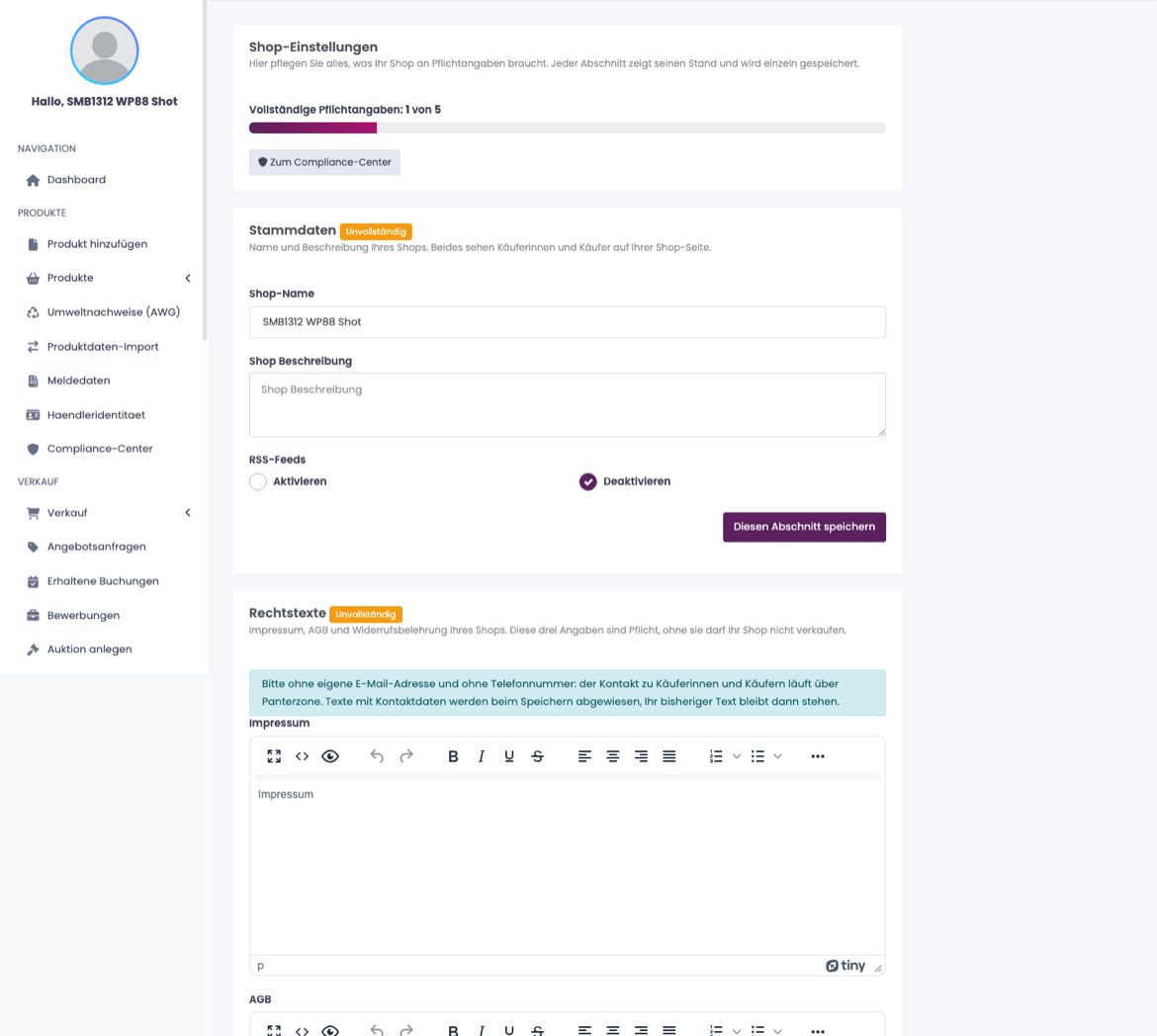
Under Shop Settings in the dashboard you maintain your shop name, description and appearance. Fill these in before you publish your first product.
Full details in the documentation: Set Up Your Shop.
The page is split into sections. Basic details, legal texts, supplier and manufacturer, membership: each section shows whether it is complete and has its own Save this section button. It saves exactly the section you are working in and leaves all others untouched; the confirmation then names the section.
The label on a section means: Complete (nothing missing), Incomplete (at least one mandatory entry is missing) or Finding (one of your texts contains contact details). Your legal notice, terms and right of withdrawal must not carry your own email address or phone number: such texts are rejected on save and your previous text stays in place. Buyers reach you through Panterzone.
The entries under Supplier and manufacturer come from your application and are shown for reference only. To change them, contact us via the message centre. From there you can also go straight to seller identity and the compliance centre.